Last updated: 14 October 2026
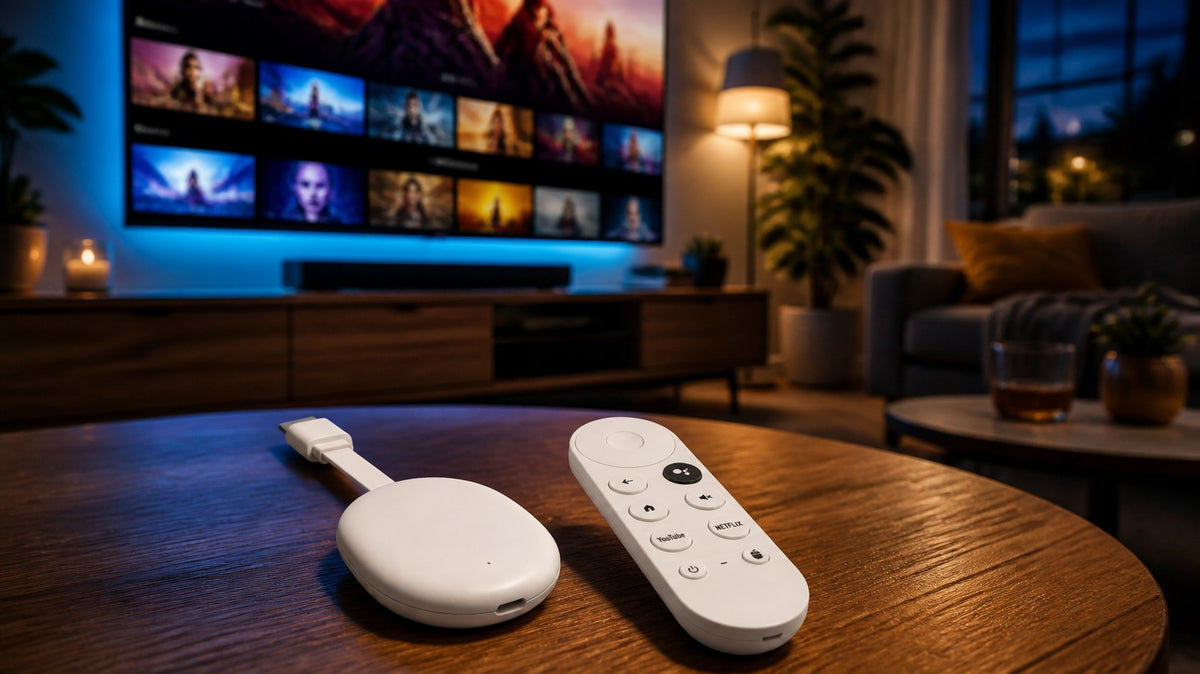
Short answer: Google stopped producing the Chromecast in 2024. Its successor, the Google TV Streamer, costs 119 euros in the Netherlands (recommended retail price). If you want to make your TV smart with Dutch apps such as NPO Start, Videoland, Ziggo GO, and KPN TV+, a TV dongle such as the Xedor Streamr is the most affordable alternative: less than half the price, with the Dutch apps already installed.
For years, the Chromecast was the standard answer to the question, “How do I make my TV smart?” Now that it is no longer being made, many people are looking for a good and affordable alternative. In this blog, we compare the options side by side.
What happened to the Chromecast?
Google stopped producing the Chromecast with Google TV in 2024. Existing Chromecasts will continue to work, but new ones are no longer available for purchase. Its successor is the Google TV Streamer: a box that sits next to your TV and is considerably more expensive than the Chromecast was.
The options compared
| Xedor Streamr | Google TV Streamer | Apps built into your TV | |
|---|---|---|---|
| Price | 54.99 euros | 119 euros recommended retail price | free, but often outdated |
| Dutch apps | NPO Start, Videoland, NLZIET, Ziggo GO, and KPN TV+ preinstalled | download them yourself | disappear from older TVs |
| Casting from your phone | Miracast, DLNA, and AirPlay (including iPhone) | Google Cast | varies by TV |
| Size | small, invisible behind the TV | box next to the TV | built-in |
| Software | Managed in the Netherlands, remote updates | Google TV | updates stop after a few years |
Prices as of October 2026. Recommended retail price for the Google TV Streamer according to Androidworld.
What do you look for when choosing?
1. Are your apps available?
This is the most important question for viewers in the Netherlands. Netflix and YouTube are available everywhere, but NPO Start, Videoland, Ziggo GO, and KPN TV+ are not. They are already ready to use on the Xedor Streamr; you only need to log in.
2. How much does it cost?
At 54.99 euros, the Streamr costs less than half as much as the Google TV Streamer. Ideal for making the TV in the bedroom, at your parents’ house, or in the attic smart too.
3. How do you want to control it?
The Streamr has a remote with a voice button and separate buttons for Netflix and YouTube. You search by speaking instead of typing letter by letter.
4. Do you want to cast from your phone?
Many people mainly used Chromecast to cast from their phone. The Streamr supports Miracast, DLNA and AirPlay, so you can stream from Android, iPhone and laptop.
The affordable alternative to Chromecast
The Xedor Streamr turns any TV with HDMI into a smart TV. Dutch apps are already installed, along with WiFi 6, a voice remote and Dutch software with updates.
What about 4K?
The Streamr outputs 4K via HDMI 2.0, and YouTube plays up to 4K. Netflix, Disney+ and Prime Video play up to 1440p, which is sharper than Full HD. Those services only make 4K available on devices with separate certification. If you have a Full HD TV, that makes no difference to you.
Read more about connecting and installing in our blog make an old TV smart.
Frequently asked questions
Does my old Chromecast still work?
Yes. Google has stopped selling it, but existing Chromecasts will continue to work for the time being.
What is a good alternative to Chromecast?
A TV dongle such as the Xedor Streamr. You plug it into the HDMI port just like a Chromecast; it comes with Dutch apps preinstalled and costs 54.99 euros.
Can I cast with the Streamr like with a Chromecast?
Yes. The Streamr supports Miracast, DLNA and AirPlay, so you can stream from Android, iPhone and laptop to your TV.
Do I need internet via a cable?
No, WiFi is enough. The Streamr has WiFi 6 with 2.4 and 5 GHz for a stable picture.
Conclusion
Without Chromecast, there is no longer a standard choice. For those who want to make their TV smart with Dutch apps at an affordable price, the Xedor Streamr is the logical successor: installed in just a few minutes, with NPO Start, Videoland and Netflix ready to use straight away.
View the Xedor Streamr or our range of TV and streaming products.
Share via:
Which charger for your iPhone 18, iPhone 17, or Samsung? 20W or 45W explained
New laptop without a charger? Here's how to choose the right USB-C charger